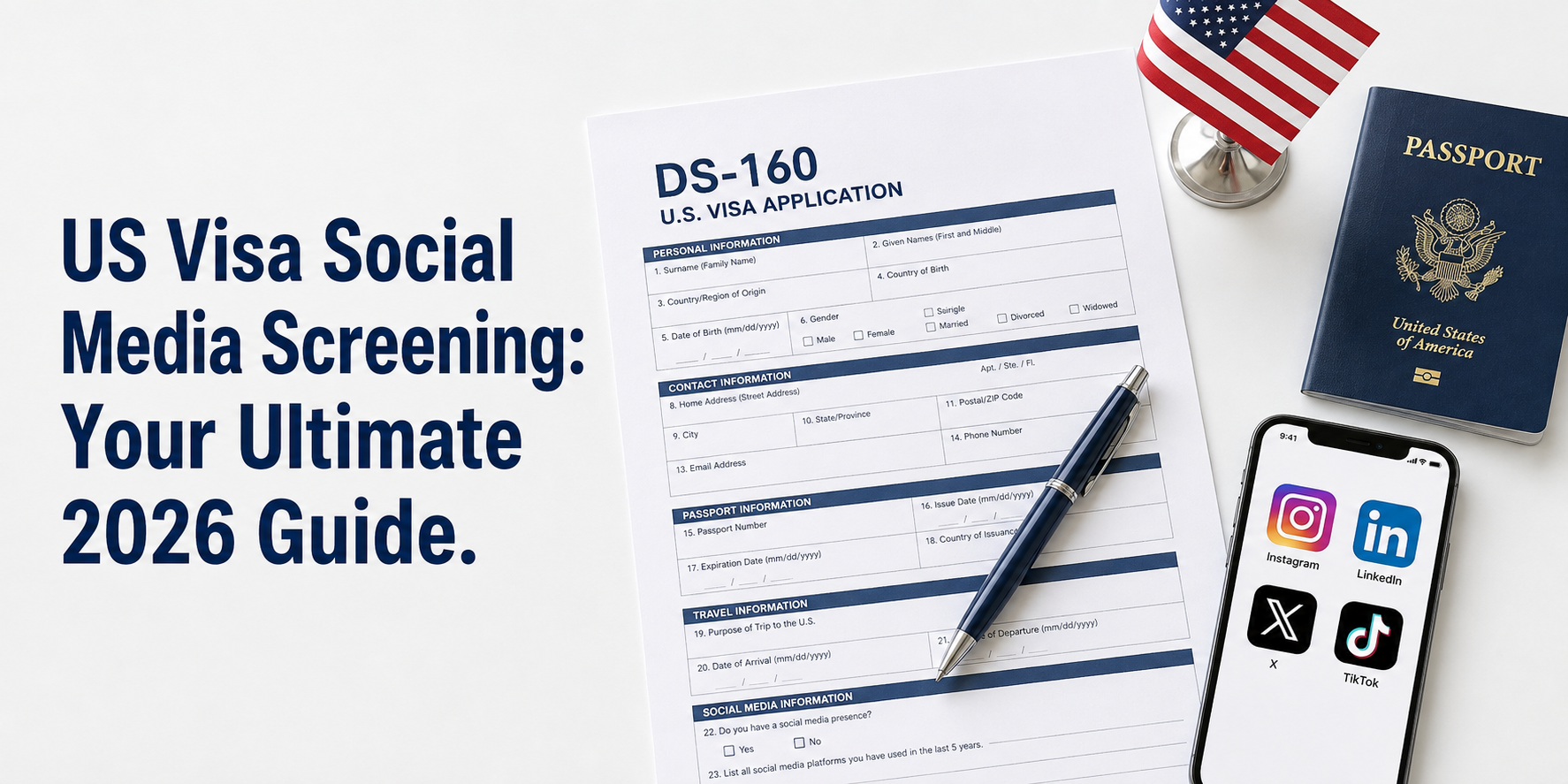
You finally sit down to fill out your DS-160. You are moving through it section by section. Then you hit the social media question. This is where US visa social media screening begins for most applicants, and it catches a lot of people off guard.
Which platforms have you used in the last five years? List all your handles.
Your stomach drops a little. You start wondering what they are actually looking for. Can an old post kill your chances? Do you need to delete everything? What if you forgot about an account you made years ago?
This guide answers every one of those questions. No policy jargon. No unnecessary panic. Just a clear, honest breakdown of exactly how US visa social media screening works in 2026, what changed recently, and what you need to do before your interview.
Table of Contents
What Is US Visa Social Media Screening and How Does It Work?
US visa social media screening is the process by which consular officers review your publicly visible online presence as part of your visa application evaluation.
It is not a surveillance program. Officers are not reading your private messages or judging your opinions about movies. The process is structured, limited, and focused on a few specific things: confirming who you are, checking that your application is consistent, and identifying genuine security risks.
Think of it less like an interrogation and more like a background check that happens to include your public digital footprint.
Disclosure, Review, and Enhanced Vetting: What Each One Means
These three terms come up constantly in immigration discussions, and they are often used interchangeably when they should not be.
Disclosure is simply the act of listing your social media platforms and usernames on your visa application form (usually the DS-160). This is a reporting requirement. Every applicant subject to screening must do this.
Review is what happens after disclosure. A consular officer may look at the public content of the accounts you listed. The keyword here is “may.” Review is not automatic for every applicant. It depends on officer discretion, your visa category, and whether anything in your application warrants a closer look.
Enhanced vetting is a deeper level of investigation triggered by specific risk indicators, security flags, or inconsistencies in your application. It is not standard for most applicants, but it is more common now than it was two years ago given the policy expansions in 2025 and 2026.
Most applicants only experience disclosure. Some experience review. Very few experience enhanced vetting.
What the Five-Year Lookback Period Actually Covers
The lookback period for social media disclosure is the past five years from the date you complete your application.
This means accounts you created, used, and even deleted within that window are still subject to disclosure. If you opened a Twitter account in 2021, used it for three months, and deleted it, that account falls within the lookback period and must be listed.
The five years does not reset. It is calculated from the day you fill in the form.
If you genuinely cannot remember the exact handle of a dormant account, do your best to recover it. Check your email inbox for the original registration confirmation. Most platforms allow account recovery via email even years after last use.
What Changed in March 2026: The Expanded Screening Policy
This is the update that sent thousands of visa applicants to Google looking for answers” to “This is the update that changed how US visa social media screening works for thousands of applicants overnight.
On March 25, 2026, the US Department of State announced a significant expansion of its online presence review program. The expansion took effect on March 30, 2026.
Which Visa Categories Were Already Being Screened
Before March 2026, social media screening was already in place for:
- H-1B applicants and their H-4 dependents
- F visa applicants (academic students)
- M visa applicants (vocational students)
- J visa applicants (exchange visitors)
These categories had been living with this requirement for several years. The 2026 announcement did not change anything for them. It expanded the policy to a much wider pool of applicants.
Which New Visa Categories Were Added on March 30, 2026
The March 2026 expansion added the following visa categories to the social media screening requirement:
- A-3: Attendants, servants, and personal employees of diplomatic staff
- C-3: Foreign government officials in transit (domestic workers only)
- G-5: Personal employees of staff at international organizations
- H-3: Trainee and special education exchange visitors
- H-4: Dependents of H-3 visa holders (already covered for H-1B dependents)
- K-1: Fiance(e)s of US citizens
- K-2: Minor children of K-1 applicants
- K-3: Spouses of US citizens awaiting immigrant visa processing
- Q: International cultural exchange visitors
- R-1: Religious workers
- R-2: Spouses and children of R-1 visa holders
- S: Informants providing critical information to law enforcement
- T: Trafficking victims
- U: Crime victims assisting law enforcement
That is a major expansion. If you are applying under any of these categories, social media screening now applies to you.
What the Expansion Means for Applicants Right Now
The State Department has been explicit: all applicants in the expanded categories must set their social media profiles to “public” or “open” before their interview appointment.
This is not optional. It is a processing requirement. Keeping your accounts private may create delays or trigger follow-up questions.
The department also made its position very clear in the official announcement. Every visa adjudication is treated as a national security decision. A US visa is a privilege, not a right.
That language is firm, but it does not mean the process is arbitrary. It means the government takes the screening seriously and expects applicants to cooperate with it fully.
US Visa Social Media Screening: Which Visa Types Are Affected
Here is a clear breakdown of every visa category now subject to US visa social media screening and what it means for each applicant.
Student and Exchange Visas (F-1, M-1, J-1)
If you are applying to study at a US university, college, language school, or vocational program, social media screening applies to you. It applied before the March 2026 expansion and continues to apply.
F-1 is for academic students. M-1 is for vocational and technical program students. J-1 covers exchange visitors including research scholars, au pairs, and cultural exchange participants.
If you are weighing study destinations and want to understand how the UK handles its own student visa process, read our UK Student Visa Guide: Fees, Requirements and Approval Chances for a full comparison.
US visa social media screening has applied to this group longer than any other category.
Work Visas (H-1B, H-3, H-4)
H-1B applicants in specialty occupations have been subject to US visa social media screening for some time. The March 2026 expansion added H-3 trainee visa applicants and H-4 dependents of H-3 holders to the list.
If you are an H-4 dependent of an H-1B holder, you were already covered. If you are an H-4 dependent of an H-3 holder, you are now covered as of March 30, 2026.
Finance and Family Visas (K-1, K-2, K-3)
This is one of the most significant additions in the 2026 expansion. K-1 applicants are foreign nationals engaged to US citizens. They are now subject to social media screening before they can enter the United States to get married.
K-2 (minor children of K-1 applicants) and K-3 (spouses of US citizens awaiting immigrant visa processing) are also included.
Religious and Cultural Visas (R-1, R-2, Q)
Religious workers applying for R-1 visas are now subject to screening. Their accompanying spouses and children (R-2) are also included. Q visa applicants participating in international cultural exchange programs are covered as well.
Diplomatic Household and Government Worker Visas (A-3, G-5)
A-3 and G-5 visas cover personal attendants, servants, and domestic employees who work for diplomatic staff and officials of international organizations. The narrow inclusion of C-3 applies specifically to domestic workers accompanying foreign government officials in transit.
Special Category Visas (S, T, U)
These are less commonly discussed but now explicitly included. S visa holders are individuals providing critical information to law enforcement or counterterrorism operations. T visa applicants are trafficking victims. U visa applicants are crime victims cooperating with law enforcement investigations.
The inclusion of T and U visa applicants is notable given the vulnerable circumstances of many of those applicants.
What You Must Disclose on the DS-160 Social Media Question
The DS-160 is the standard online nonimmigrant visa application form. It contains a dedicated section asking for your social media information. This section is the formal disclosure component of US visa social media screening.
Which Platforms Count
The form asks for platforms you have used within the five-year lookback period. This includes but is not limited to:
- X (formerly Twitter)
- TikTok
- YouTube (if you have an active channel or account)
- Snapchat
- Reddit (if you have a named account)
- Tumblr
- VKontakte (VK)
- Telegram (public channels or public accounts)
If you used a platform during the lookback period, even briefly and even if you have since deleted the account, you must disclose it.
How to List Your Handles Correctly
List your username exactly as it appears on the platform. Do not abbreviate. Do not paraphrase.
Example of correct disclosure: Platform: Instagram. Handle: @john.doe_1995
Example of incorrect disclosure: Platform: Instagram. Handle: john doe (missing the dots and numbers that are part of the actual handle)
If you used multiple handles on the same platform during the lookback period, for example because you changed your username twice, list each one. If the form only allows one entry per platform, include a note in the additional information section.
What About Deleted, Inactive, or Forgotten Accounts?
Deleted accounts that fall within the five-year lookback period must still be disclosed. The obligation is based on when you used the account, not whether it still exists.
Inactive accounts follow the same rule. If the account existed and you had access to it in the past five years, list it.
Forgotten accounts are where applicants get into trouble. If you genuinely cannot recover the account information, disclose what you know and note in the additional information field that you are unable to retrieve the exact handle. Transparency matters more than perfection.
Practical tip: Search your email inbox for registration confirmation emails from social media platforms going back five years. Most platforms send a welcome email when you sign up. Those emails contain your username and can help you reconstruct your account history.
What If You Have Never Used Social Media?
You can state this clearly on the form. There is a checkbox option for applicants who have not used social media. If this applies to you, select it and move on.
Do not list platforms you have never used. Do not create a social media presence just for the application. Either approach creates more problems than it solves.
What Do Consular Officers Actually Look For?
This is the question that causes the most anxiety, and it deserves the most honest answer.
Officers reviewing your social media are not sitting there hoping to find a reason to deny you. They are checking specific things and US visa social media screening gives them a structured framework to do it.
Identity Verification and Application Consistency
The first thing an officer checks is whether you are who you say you are. Does your profile photo look like your passport photo? Does the name on your account match your application? Does your stated location history align with what you have reported?
They also check whether your public professional information matches your application.
Example of a consistency red flag: You listed yourself as a full-time student in Nigeria on your visa application, but your LinkedIn profile shows you have been employed at a Lagos tech company for the past two years with no mention of any current studies. That contradiction will prompt questions.
Example of something that is not a red flag: Your Instagram bio says you love travel and your name on the platform is slightly different from your legal name because it is a nickname. That is normal and will not cause problems.
Fraud and Misrepresentation Signals
Officers look for signs that an applicant may have created a fake identity, is using someone else’s account, or has misrepresented their background in some way.
This includes things like:
- Profile photos that clearly do not match the passport
- Accounts that appear to have been manufactured recently without natural posting history
- Duplicate accounts or impersonation accounts suggesting someone else is managing your digital presence
Security and Threat-Related Content
This is the layer of screening most people fear but least people need to worry about.
Officers are looking for:
- Explicit support for or affiliation with designated terrorist organizations
- Threats of violence directed at individuals, groups, or the US government
- Content that directly contradicts the stated purpose of travel
This is a high threshold. Your opinion about US foreign policy does not meet it. Your posts about a political protest in your home country do not meet it. Your frustration with immigration rules does not meet it.
What Officers Are NOT Looking For (And Cannot Use Against You)
Consular officers are not reviewing and should not be using the following against you:
- Personal religious beliefs or practice
- Political opinions on domestic or foreign policy
- Lifestyle choices, relationships, or personal expression
- Ordinary cultural content, humor, or entertainment
- Academic or intellectual debate, including criticism of governments
Social media review is a vetting tool, not a values test. The process is designed to protect security, not to screen for cultural conformity.
Can Social Media Get Your US Visa Denied?
Yes, it can. But the circumstances that lead to a social media-related denial are much more specific than most applicants realize but US visa social media screening does create real consequences when those circumstances apply.
What Actually Gets You Flagged
The situations most likely to cause a real problem are:
Undisclosed accounts. If an officer finds an account you did not list and it contains information relevant to your application, this raises serious questions about your honesty. The non-disclosure itself becomes the problem, even if the account content is entirely harmless.
Direct contradictions between your application and your public profile. If your application says one thing and your social media says something clearly different, you will be asked about it. If you cannot explain the contradiction, it may result in denial.
Content that directly indicates criminal intent or national security risk. This is rare but real. Explicit support for designated terrorist organizations, documented threats of violence, or posts describing intent to violate the terms of a visa are in a different category from ordinary social media activity.
Evidence of previous visa violations. Posts geotagged in the United States during a period when you had no authorized status, or posts suggesting you worked while on a visa that did not permit employment, can be used as evidence against a new application.
What Does Not Get You Flagged
To be very direct about this:
- Posting opinions about US politics
- Posting about religion, culture, or personal identity
- Having an account with very few posts or minimal activity
- Using a nickname or pseudonym that is not your legal name (as long as you disclose the account)
- Old posts that are embarrassing but contain no genuine security threat
- Following or being followed by controversial public figures
The Difference Between a Flag and a Denial
Getting flagged does not mean getting denied. A flag means your file may be routed for additional review or you may be asked questions at your interview. Many applicants who are flagged are ultimately approved after providing clarification.
Denial happens when the evidence of a problem is strong and cannot be explained away, or when an applicant has been dishonest in a way that undermines the overall credibility of their application.
How to Prepare Your Social Media Before Your Visa Interview
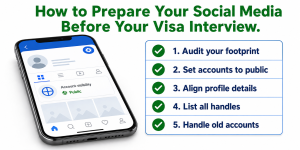
Preparation here is not about sanitizing your online presence. It is about making sure your accounts are accurate, consistent, and accessible for review which is exactly what US visa social media screening requires.
Step 1: Audit Your Digital Footprint
Before you fill out the DS-160 social media section, search your own name and every username you have used in the past five years.
Open a browser you do not normally use (so you are not logged into any accounts) and search yourself. What comes up? What does a stranger see when they look at your public profile?
This is exactly what a consular officer will see: It is the same lens that US visa social media screening uses to evaluate your online presence. If something looks obviously outdated, misleading, or inconsistent with your application details, address it now rather than during your interview.
VizaCheck exists specifically to help you do this audit systematically. Instead of guessing what an officer might see, VizaCheck’s digital footprint scan runs a structured review of your public online presence and flags potential inconsistencies before your application goes in.
Step 2: Set Your Accounts to Public
If your accounts are currently private, you need to change that before your interview. The State Department has explicitly instructed applicants in the expanded visa categories to set their profiles to “public” or “open.”
Do this early. Making your account public two days before your interview can look reactive. Making it public several weeks in advance looks like compliance.
If there is content on your public account that you want to remove because it is genuinely misleading or inaccurate, and not just because you are nervous, make those changes well in advance and do so calmly.
Step 3: Align Your Profiles With Your Application Details
Go through your public profiles and check the following against your DS-160 and supporting documents:
- Your full legal name (or clearly explained nickname)
- Your current employer or student status
- Your location history
- Your education background and graduation dates
You do not need your profile to be a perfect replica of your application. Small differences are normal and expected. What you are looking for are major contradictions that have no obvious explanation.
Step 4: List Every Handle Accurately on the DS-160
When you reach the social media section of the DS-160, have a list ready. Do not fill it in from memory.
For every platform you have used in the past five years, write down:
- The platform name
- The exact username or handle as it appears on the platform
- Whether the account is active, inactive, or deleted
Transfer this information to the form exactly. Copy and paste where possible.
Step 5: Handle Old, Hacked, or Impersonated Accounts
This is a scenario many applicants have not thought about.
Old accounts you cannot access: Disclose what you know. Note in the additional information section that you are unable to access the account and provide as much detail as you can, including the platform, the approximate username, and the time period it was active.
Hacked accounts: If one of your accounts was compromised and contains content you did not post, document this. Screenshot any communication from the platform confirming the hack or recovery. Note the situation in your additional information section and be prepared to explain it at your interview.
Impersonation accounts: If someone has created a fake account using your name or likeness, report it to the platform immediately and document your report. Bring evidence of the impersonation and your report to your interview.
The key in all three scenarios is proactive disclosure and documentation. Surprises are what create problems.
Mistakes That Can Hurt Your Application
These are the errors that trip up applicants who would otherwise have no issue getting approved.
Deleting Everything Before Your Interview
This is the most common and most damaging mistake.
Deleting posts, photos, or entire accounts in the days or weeks before your interview does not erase anything from the officer’s perspective. It raises a question: what were you trying to hide?
If your account had content on it for three years and suddenly goes dark a week before your interview, that pattern is visible. Abrupt changes attract scrutiny in a way that a stable, ordinary profile never would.
If something on your account is genuinely problematic and not just embarrassing, address it calmly and well in advance. If it is just embarrassing, leave it.
Omitting Accounts You No Longer Use
If you used a platform during the five-year lookback period, you must list it. The fact that you stopped using it does not remove the disclosure obligation.
The moment an officer finds an account you did not list, the conversation shifts from your visa application to your honesty. That is a much harder position to recover from.
Changing Your Profile Details at the Last Minute
Suddenly editing your LinkedIn employer, removing a school from your Facebook bio, or changing your location information immediately before your interview creates the same problem as mass deletion. It looks reactive. It looks like concealment.
If something on your profile is genuinely wrong, such as an old employer you forgot to update or an outdated bio, fix it. But do it well in advance and because it is accurate, not because you are worried about the interview.
Creating a Fake or Scrubbed Persona
Some applicants have attempted to create a secondary “clean” social media presence specifically for visa review while hiding their real accounts.
This is one of the most serious mistakes possible. Presenting a fabricated online identity as your genuine digital footprint is misrepresentation on a visa application. It is grounds for immediate denial and can result in a permanent bar on future applications.
Do not do it. The authenticity of a genuine profile, even one with mundane or imperfect content, is far more valuable than a manufactured one.
How VizaCheck Helps You Screen Yourself Before the Embassy Does
Most applicants go into their visa interview hoping their online presence looks fine. VizaCheck gives you a way to know instead of hope by running the same kind of structured check that US visa social media screening applies to every applicant.
What a Digital Footprint Audit Looks Like
A digital footprint audit is a structured review of your publicly visible online presence. It is the same information a consular officer would see when they review your accounts.
The audit checks for:
- Public profiles that do not match your application details
- Accounts that might be attributed to you that you have not disclosed
- Content patterns that could raise consistency questions
- Old or abandoned accounts that fall within your lookback period
- Impersonation or duplicate accounts using your identity
This is not about finding things to delete. It is about knowing what is there so you can address it accurately and confidently on your application.
What VizaCheck Checks That You Might Miss
Most applicants only check the accounts they actively use. VizaCheck scans more broadly, including:
- Platforms you may have forgotten you signed up for
- Older accounts associated with email addresses you no longer check
- Public content that has been shared or reposted beyond your original platform
- Name variations and usernames associated with your identity across different networks
The goal is to give you a complete picture of your public digital presence before the embassy sees it, so there are no surprises in the interview room.
You can run your VizaCheck scan before you fill out your DS-160. That way, your disclosure is accurate, your profiles are aligned, and you walk into your interview knowing exactly what the officer will find.
US visa social media screening is not a trap. It is a requirement like every other requirement, one that rewards accuracy, consistency, and transparency.
You now know exactly which visa categories are affected, what officers look for, what they ignore, and what mistakes to avoid. You know how to prepare your accounts, how to complete your disclosure accurately, and how to handle complications like old, hacked, or forgotten accounts.
The applicants who struggle with this process are not the ones with complicated online histories. They are the ones who panicked, deleted things last minute, or left accounts off the form hoping no one would notice.
Go in prepared. Go in accurate. Go in knowing what the officer is going to see, because you already checked.
Run your VizaCheck digital footprint scan before you fill out your DS-160. Know your digital footprint before the embassy does.